Beasty Console — Unity Logging & Console
A downloadable asset pack
Beasty Console replaces Debug.Log with a logging API that says what kind of message each log is, and an editor console that filters by exactly that.
It is for anyone who has lost a real error inside a wall of Debug.Log output: you tag each message with a level as you write it, and later you switch levels off until only the ones you care about remain.
Eleven levels that mean something
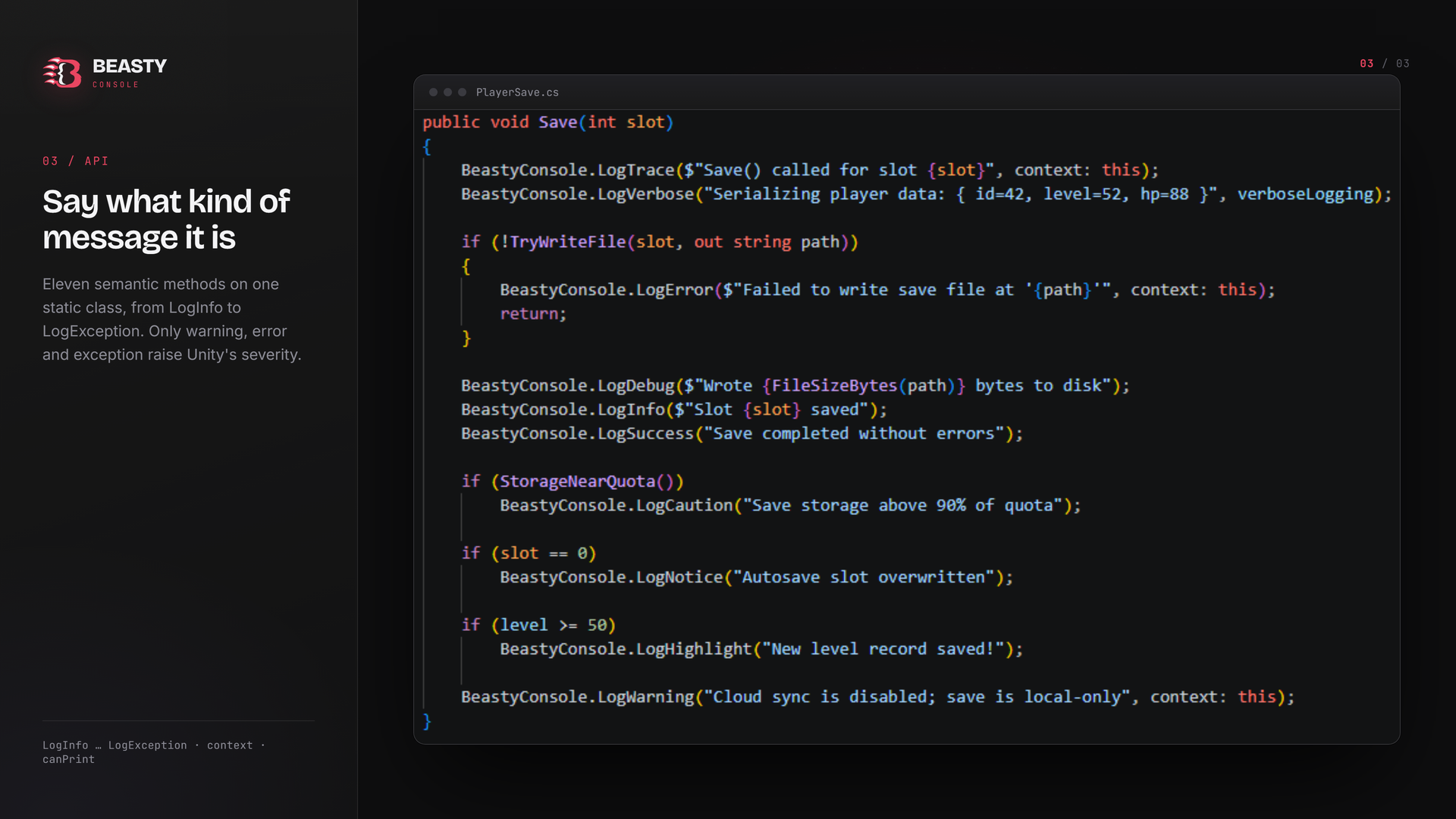
Info, verbose, trace, debug, notice, highlight, caution, success, warning, error and exception — one static call each. Only warning, error and exception raise Unity's severity: LogCaution is a soft alert that flags a message without tripping Error Pause or showing up as a warning in Unity's own console.
- using BeastyConsoleLogger;
- BeastyConsole.LogInfo("Save file loaded");
- BeastyConsole.LogSuccess("Checkpoint reached");
- BeastyConsole.LogWarning("No audio device", context: gameObject);
- BeastyConsole.LogError("Slot is corrupt");
- try { Risky(); }
- catch (System.Exception e) { BeastyConsole.LogException(e); }
Every method takes two optional extras: `canPrint`, so a single log can sit behind your own per-system debug switch without wrapping it in an `if`, and `context`, a UnityEngine.Object that makes the entry clickable and pings it in the Hierarchy. `BeastyConsole.IsEnabled` silences every level at once, and `PrintLongMessage` splits a very long string into chunks so Unity does not truncate it.
A console that filters by level
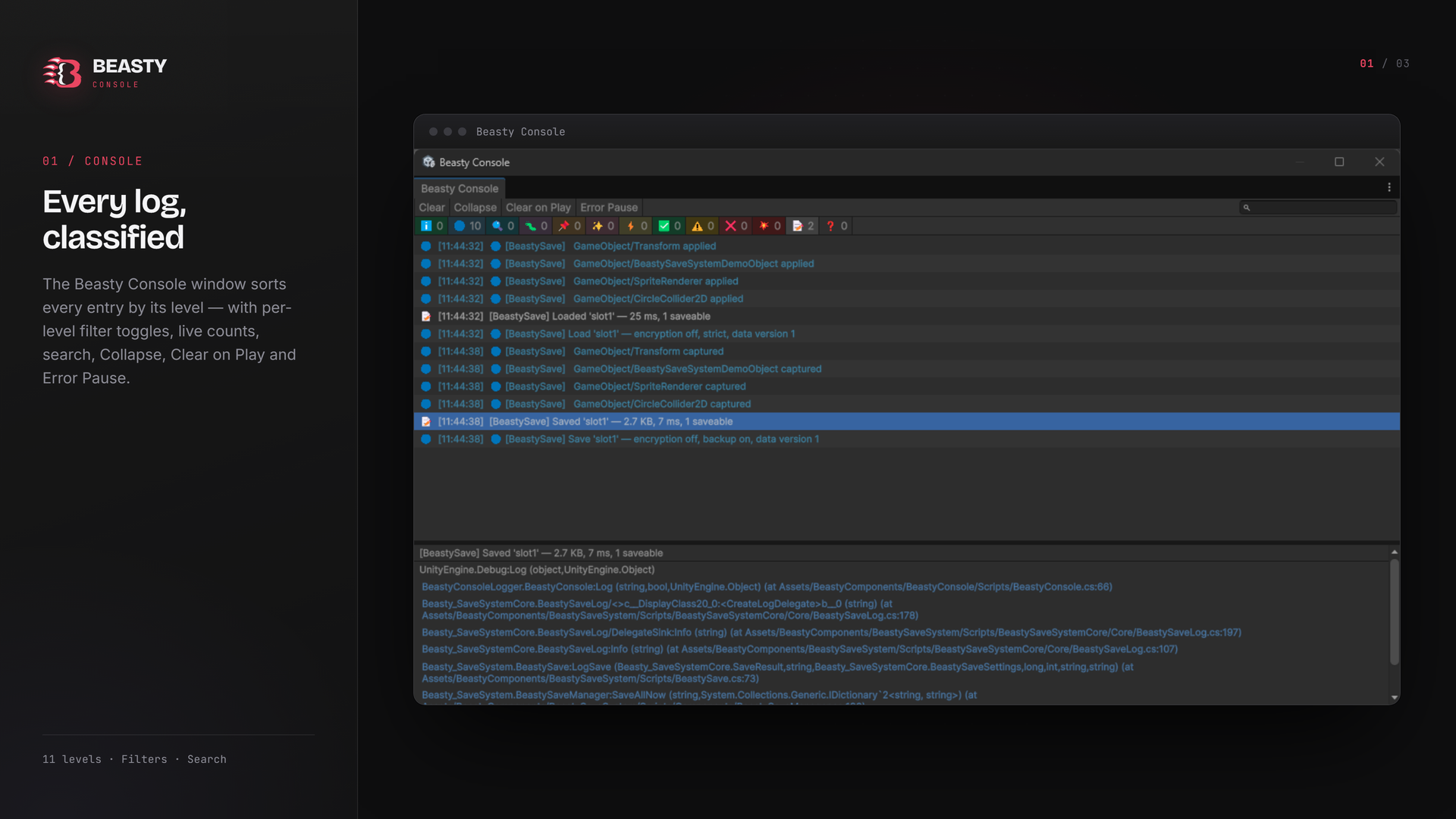
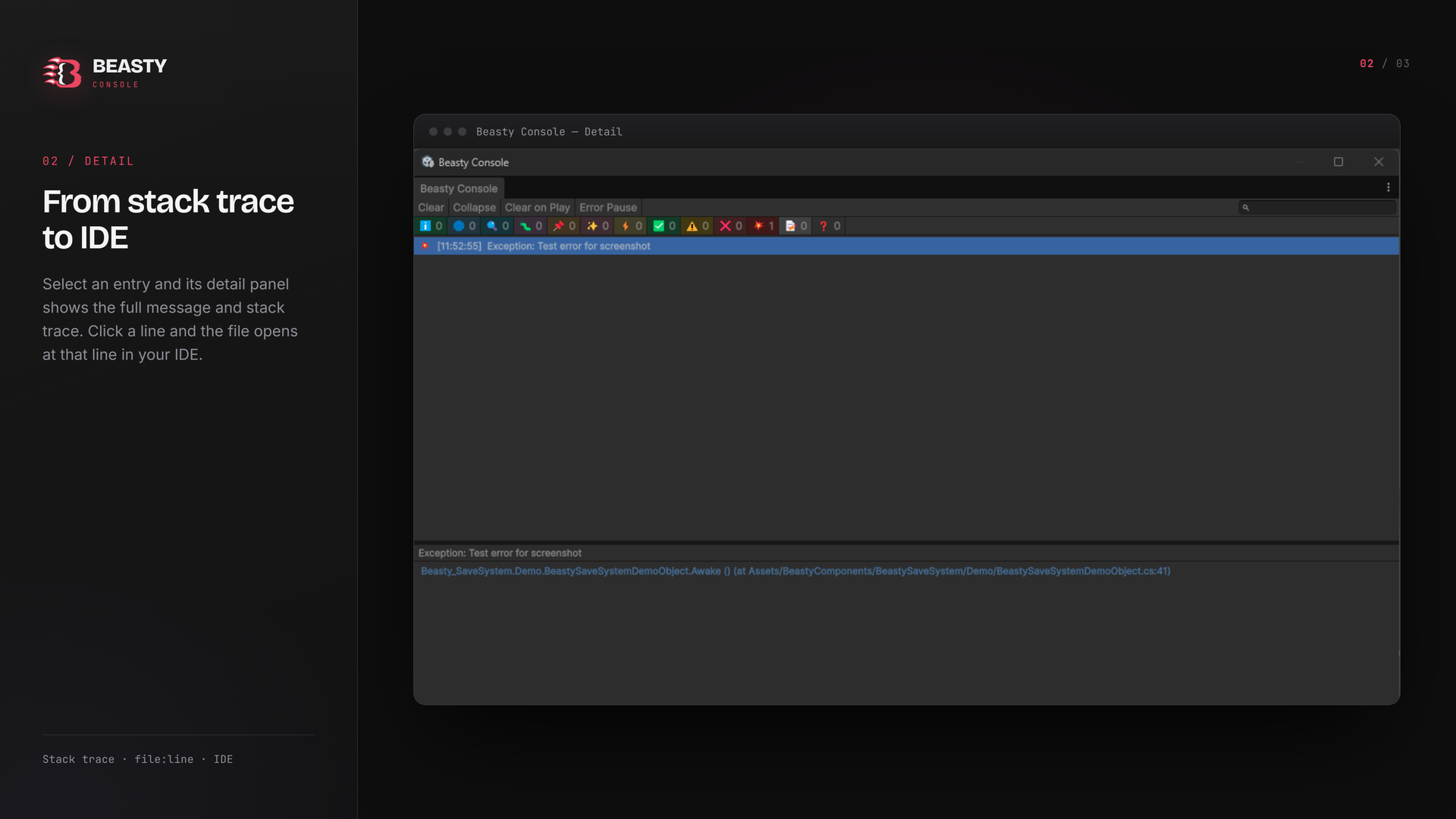
The Beasty Console window (Tools > Beasty Console > Console) classifies every entry by its level: per-level filter toggles with live counts, a search field, Collapse, Clear on Play and Error Pause, plus a detail panel whose stack-trace lines open the file at the right line in your IDE.
Readable in a build too
In the editor each level tags with a colour and a glyph; in a build the same call writes a plain ASCII tag (`[INFO]`, `[WARNING]`, `[ERROR]`...), so a player's Player.log stays readable in any text editor.
Small and self-contained
Two assemblies — the runtime API and the editor window — that reference nothing outside Unity. No DLLs, no art, no external packages; full C# source included, plus a sample script that exercises every level.
Beasty Save System detects this asset by reflection and routes its own logs through it when present, but neither package needs the other: both work on their own.
Technical
- Eleven-level static API (namespace BeastyConsoleLogger): LogInfo, LogVerbose, LogTrace, LogDebug, LogNotice, LogHighlight, LogCaution, LogSuccess, LogWarning, LogError, LogException.
- Editor window: per-level filters with live counts, search, Collapse, Clear on Play, Error Pause, click-to-IDE stack traces.
- Zero external dependencies, no DLLs, no third-party content.
- Full C# source and sample script included.
- Unity 6000.2+, Mono and IL2CPP, Built-in / URP / HDRP.
Documentation: https://bauflowbeasty.github.io/
Purchase
In order to download this asset pack you must purchase it at or above the minimum price of $4.99 USD. You will get access to the following files:
Leave a comment
Log in with itch.io to leave a comment.